
Save recipes from any website, TikTok & Instagram
Paste a link - a food blog, a TikTok, or an Instagram reel - and Pinch of This keeps just the ingredients, steps, time, and photo. No ads, no 800-word life story.
Pinch of This · Updated September 14, 2026
The recipe is there - somewhere under all the ads
You found the perfect dinner online. Then came the pop-ups, the autoplay video, the story about a summer in Tuscany, and an ingredient list ten screens away from the directions. By the time you scroll to the actual recipe, your phone has timed out and your hands are covered in flour.
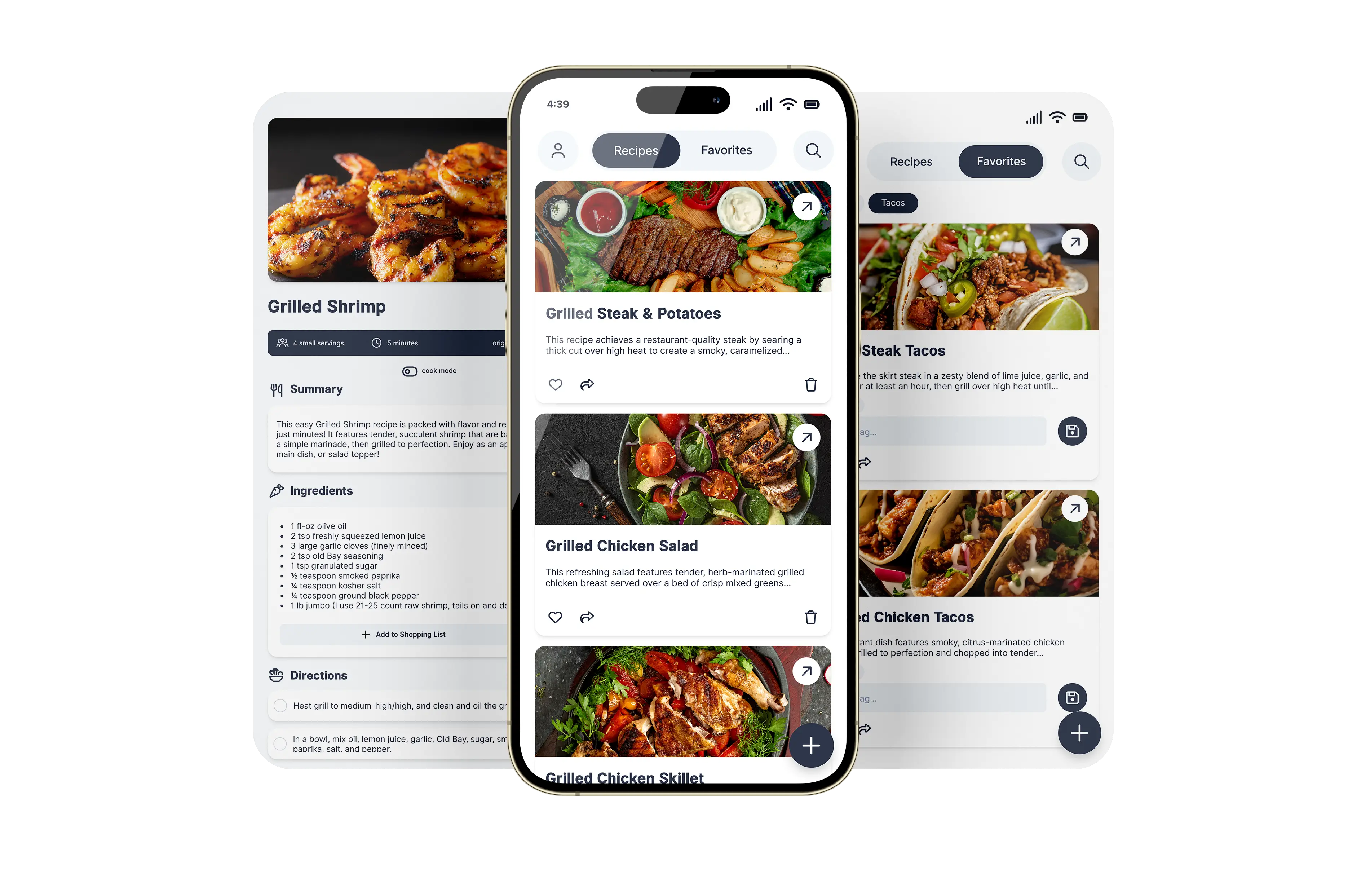
Pinch of This lets you save recipes from any website in one step - and it works with TikTok and Instagram videos too. Paste the link and the AI reads the page (or the video's caption and clip), strips out everything that isn't the recipe, and hands you a clean card with the ingredients, steps, prep time, and photo - kept in your collection and synced everywhere you cook.
Have a different source? Use the guides to saving a recipe from an image and saving a recipe from a YouTube video for the steps specific to those formats.
How to save a recipe from a website
1. Copy the link
Grab the URL of any recipe - a food blog, recipe site, or a TikTok or Instagram video.
2. Paste it in
Drop the link into Pinch of This and the AI reads the page in seconds.
3. Get a clean card
Ads and story gone - just ingredients, steps, time, and photo, saved and synced.
Every recipe you love, in one clean place
- No ads or pop-ups. Cook from a distraction-free card, not a cluttered web page.
- Private by default. Your saved recipes are yours - not a feed, not an ad profile, and not data to sell.
- No more lost bookmarks. Stop losing recipes in a black hole of browser tabs and screenshots.
- Credit kept. Every saved recipe links back to the original source.
- Synced everywhere. Save on your laptop, cook from your phone - one account, all devices.
Save recipes from TikTok and Instagram
Copy the recipe video’s share link and paste it into Pinch of This. Review the imported ingredients and directions against the post before saving. If the creator leaves out a quantity or a step, check the caption and any linked written recipe to fill in the gap.
A saved social post helps you find the creator again; an editable recipe card lets you organize the written recipe alongside the rest of your collection. For YouTube, see the video recipe import guide. To keep a printable copy afterward, use the recipe export options.
Saving recipes from the web
How do I save a recipe from a website?
Paste any recipe URL into Pinch of This. The AI extracts the ingredients, steps, prep time, and photo - stripping out the ads and blog story - into a clean recipe card you can keep.
Does it work with any recipe website?
It works with virtually any food blog, recipe site, or social post that has a URL. You paste the link and the app does the rest.
Can I save recipes from TikTok and Instagram?
Yes. Paste the link to a TikTok or Instagram recipe video and the AI reads the caption and clip, pulls out the ingredients and steps, and saves a clean recipe card - no pausing or screenshotting the video.
Does it remove the ads and life story?
Yes. Pinch of This keeps only the recipe itself - ingredients, steps, time, and photo - and leaves the pop-ups, ads, and long intro behind.
Where are my saved recipes stored?
Every saved recipe goes into your personal collection in the cloud, synced across your devices, and keeps a link back to the original source.
Explore more: save a recipe from a YouTube video · save a recipe from an image · your digital recipe box