
Scan handwritten recipe cards
Snap a photo of grandma's index card and Pinch of This reads the handwriting with AI, then saves a clean, editable recipe - no retyping.
Pinch of This · Updated September 14, 2026
Your family recipes shouldn't fade away on index cards
The best recipes are often the ones written by hand - the ones passed down on splattered index cards and tucked into the back of a drawer. But paper fades, ink smudges, and cards get lost. Retyping a whole box of them into a notes app is the kind of chore that never actually happens.
Pinch of This turns a photo of the written recipe into editable text. Its AI recipe card scanner uses optical character recognition (OCR) built for handwriting, so you can photograph a card and get back a clean, searchable, editable recipe - ready to cook from on any device. The same workflow can save a recipe from an image or screenshot.
How to digitize a recipe card
1. Snap a photo
Point your camera at a handwritten card, index card, or cookbook page and take the picture right inside the app.
2. AI reads it
Our OCR reads the handwriting, separates ingredients from steps, and formats everything into a tidy recipe card.
3. Review & save
Compare ingredients, quantities, units, and directions with the original card, correct any transcription errors, then save. It lands in your collection, searchable and synced across every device.
Preserve the recipes that matter
- No retyping. The AI creates a first transcription so you can spend your time reviewing the recipe instead of typing it from scratch.
- Fully editable. Tweak an ingredient, add a note, or fix a smudged measurement any time.
- Searchable forever. Find any recipe by name or ingredient instead of digging through a drawer.
- Safe and synced. Your scanned recipes live in the cloud and open on your phone, tablet, and computer.
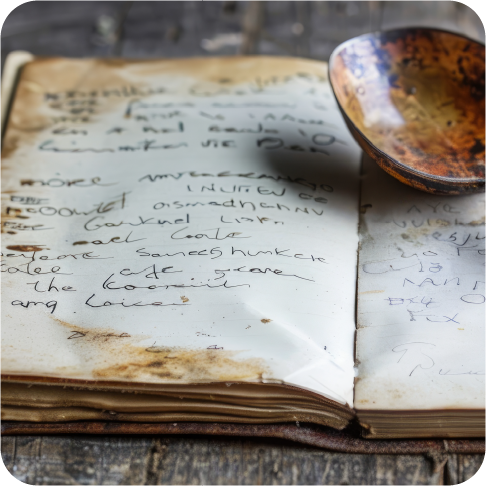
Photograph a difficult card
Lay the card flat in even light and keep the camera parallel to the paper. Include every edge of the written recipe, avoid shadows across the text, and photograph the back if the directions continue there. Keep both original images as a backup.
Check fractions, teaspoon and tablespoon abbreviations, temperatures, and notes in the margins. If a word is unreadable on the card, ask someone who knows the recipe rather than treating the transcription as certain. For an entire collection, start with a small batch and review it before continuing.
Choosing a scanning app? Use our handwritten recipe app checklist to compare correction, sharing, and backup workflows on your own cards.
Recipe scanning questions
Can Pinch of This read handwritten recipe cards?
Yes. It uses AI-powered OCR to read handwritten recipe cards, index cards, and printed cookbook pages. Take a photo and the app digitizes the text into a clean, editable recipe card - no retyping.
What if the handwriting is messy or the card is old?
Results depend on the handwriting, focus, lighting, and contrast. Faded ink and smudged measurements can need manual correction. Compare the extracted recipe with the original and edit unclear words or quantities before saving.
Can I scan pages from a physical cookbook?
Yes. Photograph a printed cookbook page and Pinch of This extracts the ingredients and steps into a digital recipe you can keep, edit, and search.
Is scanning recipe cards free?
Your first 20 recipes are free forever with the full app and no credit card required. Upgrade any time for unlimited storage.
Continue the scanning guide: preserve handwritten recipe cards · digitize an entire recipe box · save recipes from images