
Your digital recipe box for every recipe
Web recipes, handwritten cards, and your own creations - organized, searchable, and synced across every device.
Pinch of This · Updated September 14, 2026
What is a digital recipe box?
A digital recipe box, also called an electronic recipe box, stores recipes as searchable ingredients and directions in an app. It brings together website recipes, scanned cards, screenshots, and your own cooking notes so you can find a recipe and use it across devices.
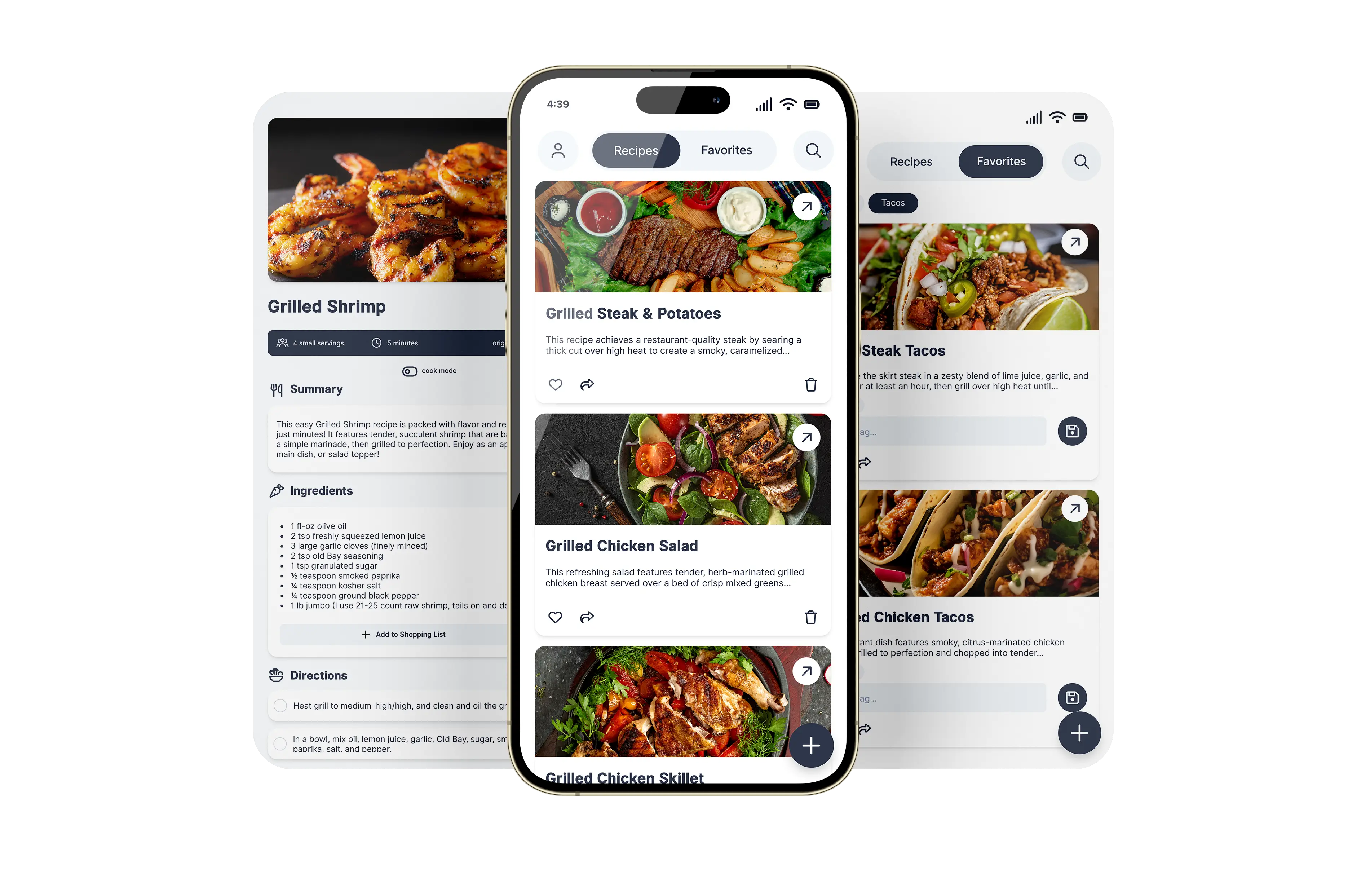
A digital recipe box pulls all of that into one organized, searchable app. Pinch of This is a digital recipe box built for real kitchens - it holds recipes you save from the web, YouTube, TikTok, and Instagram, scan from handwritten cards, or add yourself, adds automatic nutrition facts to every recipe, and keeps them synced across your phone, tablet, and computer so the right recipe is always a tap away.
Three ways to fill your recipe box
Save from web and social video
Paste a recipe URL from a website, YouTube, TikTok, or Instagram and keep a clean card with the useful recipe details. Learn more →
Working from a video? Follow the YouTube recipe guide for the import and review steps.
Scan handwritten cards
Photograph a card and AI OCR digitizes the handwriting into an editable recipe. Learn more →
Add your own
Type in your own creations with ingredients, steps, and photos, and edit them any time.
Organized, searchable, everywhere
- Find anything fast. Search by name or ingredient instead of scrolling screenshots.
- See the nutrition. Every recipe gets calories, protein, carbs, and fat per serving, calculated automatically from the USDA FoodData Central database.
- Build a shopping list. Send any recipe's ingredients to a list with one tap.
- Share with family. Send recipes to friends and family right from the app.
- Ad-free, private, no download required. No ads, no data selling, no app store required - use it in your browser or on Google Play.
Digital recipe box vs. bookmarks and screenshots
Bookmarks remember a webpage. Screenshots remember pixels. A digital recipe box keeps the actual ingredients and instructions organized for cooking.
- Bookmarks: convenient when you want to return to the original website. The recipe remains dependent on what is available at that link.
- Screenshots: useful for keeping a visual copy. Some photo apps can search or copy text, but you still need to assemble a complete recipe and review it.
- Notes: flexible for text, photos, and personal annotations. How you structure ingredients and directions is up to you.
- A recipe app: useful when you want editable ingredient and instruction fields alongside search, sharing, and shopping lists.
See the fuller comparison of recipe boxes, bookmarks, and screenshots, or compare recipe organizer apps by the features you use.
Already have recipes trapped in your camera roll? Learn how to save a recipe from an image.
Move your collection in a manageable first batch
- Choose a few recipes you cook often and add each from its original source.
- Review the imported ingredients and directions, then give each recipe a name you will recognize.
- Find one recipe on your phone and use it for a meal. Add any changes as notes.
- Try sharing and exporting before moving the rest of your collection.
If a large part of your collection is handwritten, follow the recipe box digitizing workflow. If you cook across languages, explore what to look for in a bilingual recipe app.
Your recipes stay yours
A recipe box is only worth trusting if you can take everything out again. Pinch of This lets you export any recipe or your whole collection on every plan, and import recipes from Paprika, Recipe Keeper, a spreadsheet, or a backup when you arrive.
Digital recipe box questions
What is a digital recipe box?
It's an app that stores all your recipes in one organized, searchable place instead of on scattered cards, screenshots, and bookmarks. Pinch of This holds recipes you save from the web, scan from handwritten cards, or add yourself.
Can I keep web, handwritten, and my own recipes together?
Yes. Save from any website, scan handwritten cards with AI, or type your own - everything lives together in one collection you can search and organize.
Does my recipe box sync across devices?
Yes. One account syncs your recipe box across your phone, tablet, and computer, so you can save on your laptop and cook from your phone.
Does it show nutrition information?
Yes. Every recipe gets nutrition facts calculated automatically from the USDA FoodData Central database - calories, protein, carbs, fat, and more per serving - so you can see what's in a dish before you cook it, with no manual entry.
How much does it cost?
Your first 20 recipes are free forever with the full app and no credit card. Upgrade any time for unlimited storage.
Explore more: scan handwritten recipe cards · save a recipe from an image · save recipes from any website